
iPad teleprompter – an affordable solution
June 30, 2022
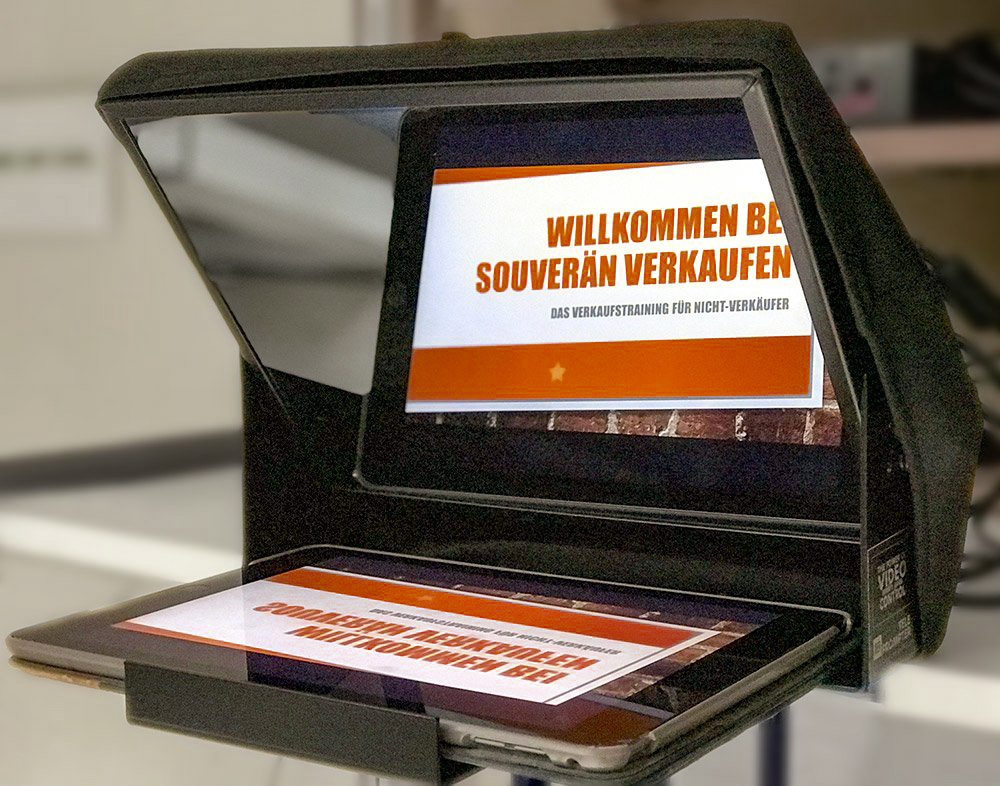
If you already own an iPad, an iPad teleprompter is the ideal way to use a teleprompter affordably and flexibly.
An iPad teleprompter helps you keep your outline, even when recording longer videos for sales or training. You don't have to memorize the text, you never lose your train of thought, and you still look into the camera. The viewer gets the feeling that you're looking at them directly.
iPad teleprompter combined with PPT Mirror
With PPT Mirror you can very easily mirror a PowerPoint presentation and then use it in an iPad teleprompter. With the software tool, you load your PowerPoint file and export it either as a mirrored PowerPoint or as a (mirrored) PDF. Transfer the mirrored presentation to your iPad, place it in the teleprompter – done.
If you also use a remote control, you can record your video entirely on your own, without anyone's help.
What exactly is an iPad teleprompter?
Strictly speaking, it's a teleprompter without its own screen or PC. You use an iPad to play back your presentation – the teleprompter itself is basically just a rig consisting of a glass pane in a tiltable metal frame with a reflection-free hood.
Advantages of the iPad teleprompter
- Affordable solution, since it uses an iPad you (already) own
- Lightweight and portable
- No power supply needed
- Remote-controllable with a Bluetooth remote
- Simply mount it on a photo tripod and get going
- Works with common cameras (DSLR, video cameras, smartphones)